
There are multiple ways to send emails via SMTP through Microsoft. For a detailed explanation please check Microsoft’s guide here
When sending emails via Microsoft 365 there are a few step that you need to know to get this working.
*Before disabling Security Defaults please ensure you setup conditional access. Details can be found here.
Turn off Security Defaults
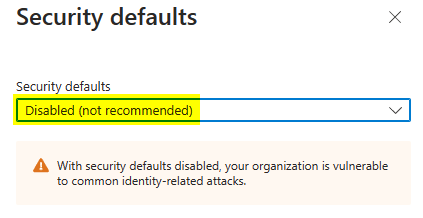
Security defaults is Microsoft’s base layer of security. However it is not very flexable. To turn off Security Defaults you will need to proceed to Azure Active Directory from the Admin center. Then proceed to Properties.

Selecting Manage security defaults will then provide the option to disable the security defaults.
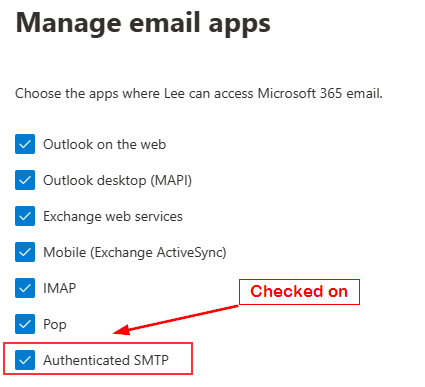
Ensure the the Authenticated SMTP is checked on the user account from which you plan to send the emails eg. Scanner (you will need at least an Exchange license for this to work)
Manage user / Mail / Manage email apps / Authenticated SMTP

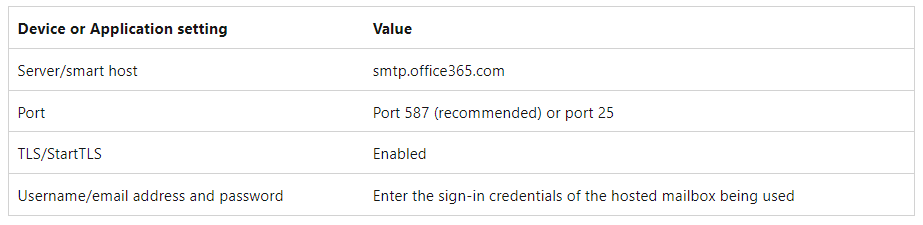
Once this is all set you should good to setup the SMTP on the scanner / device using the details below:
 TechBlog
Leave a comment